
FIND YOUR NEXT STEP
Search RUILED
You may see 500 × 250 mm and 480 × 320 mm in the same all-aluminium product range and assume they describe two finished screens. They describe module formats. The cabinet dimensions, resolution and installation layout still need to be specified.
RUILED treats these as two separate module formats. The current comparison follows the supplied catalogue, printed page 08. Select a configuration within the relevant format before comparing the complete proposal.
In this guide
1. Keep module, cabinet and complete-display dimensions separate
A module is one building element of the cabinet, and the assembled cabinets form the display. Request a drawing showing all three levels. The dimensions used for transport, supporting structure and finished screen layout will not be interchangeable.
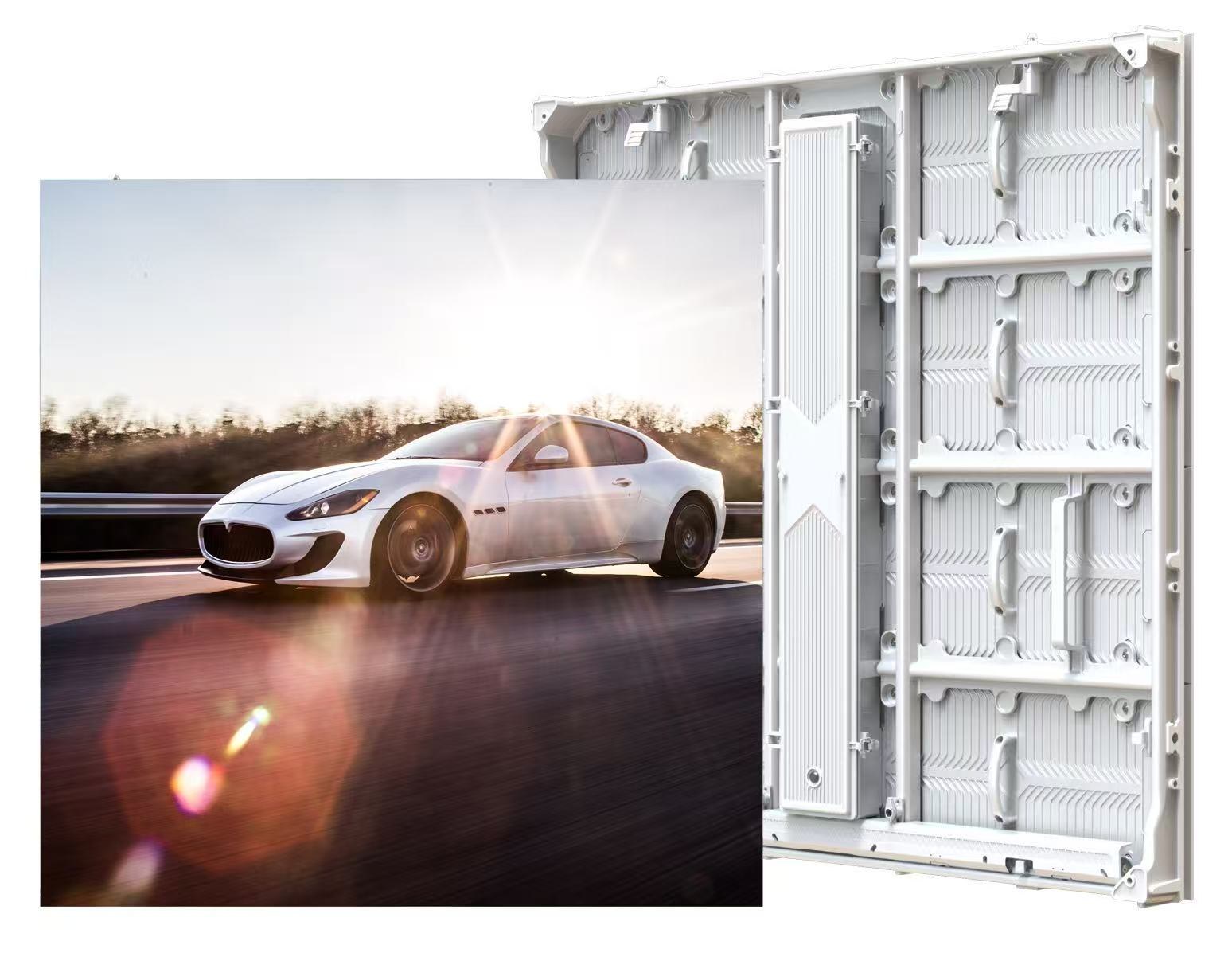
The catalogue pairs the 500 × 250 mm module with a 1000 × 1000 × 93 mm cabinet, and the 480 × 320 mm module with a 960 × 960 × 77 mm cabinet. Confirm these dimensions against the selected order drawing.
What to check: Ask the supplier to label module size, cabinet size and total display size on the drawing.
2. Compare a selected pitch and model code
The catalogue 500 × 250 mm module series lists P3.91, P4.81, P6.25, P7.81 and P10.42. The 480 × 320 mm series lists P4.44, P5.71, P6.66, P8 and P10. Confirm the selected model in the proposal.
Choose the target display dimensions, viewing positions and content before narrowing the configuration. Ask for the resulting pixel resolution and cabinet arrangement. A module-format comparison alone cannot tell you whether the screen will show your smallest text adequately.
What to check: Compare the actual quoted model, pitch, pixel resolution and layout.
3. Do not apply one power figure to the whole range
The catalogue lists 230 W/m² average power for the 500 × 250 mm series. The 480 × 320 mm series lists 220 W/m², except P6.66 at 240 W/m². Use the value for the selected configuration.
These are configuration-specific data-sheet values. Keep the complete model code beside the calculation and use the same area and operating schedule. A power figure from one LED package or pitch should not be copied to another because both use the same module dimensions.
What to check: Select the configuration on its product page before using the energy calculator.
4. Review access and construction against the site
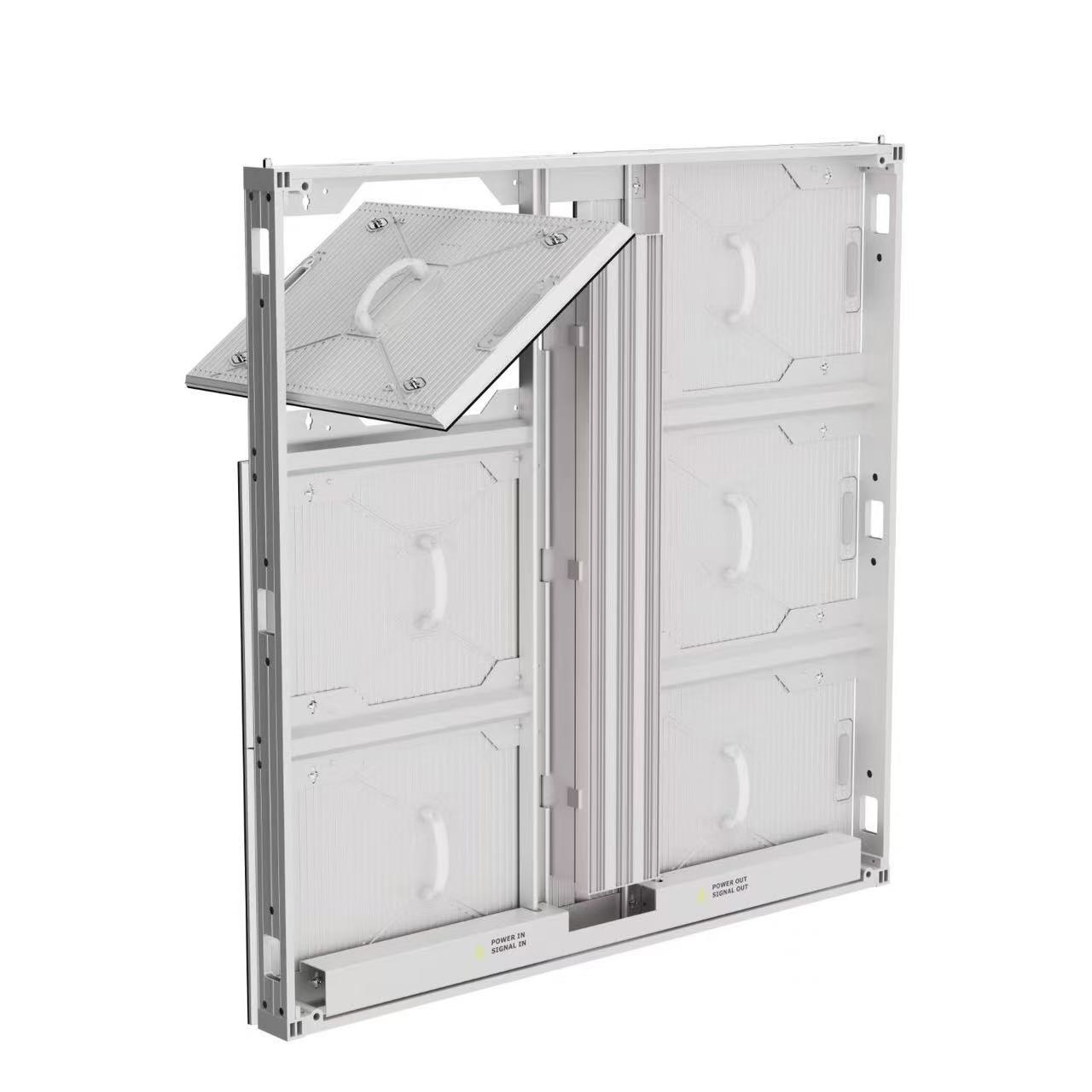
The catalogue front-service series is presented for front/rear maintenance planning; confirm component access on the selected order drawing. Ask which method the proposed assembly uses and how each serviceable component is reached after installation. The supporting structure and surrounding finish must allow the required work.
Share site dimensions, access restrictions and the intended mounting arrangement. Request the selected configuration’s drawings, connection information and installation requirements. Have the responsible local professionals review their structural and electrical scope.
What to check: Confirm component access and installation responsibilities on the project drawing.
5. Keep replacement parts tied to the selected product
Two modules that look similar in a photograph are not evidence of interchangeability. Ask for the replacement part identifiers and compatibility requirements for the ordered configuration, including any matching or calibration information needed for service.
Record the model, layout and spare-parts list with the final order documents. When requesting a later expansion, provide those records and ask for a compatibility review rather than ordering only by the module’s outside dimensions.
What to check: Keep separate product records for the two catalogue module formats.
What the two headings actually identify
| Range | Source-confirmed distinction |
|---|---|
| 500 × 250 mm | Module size; catalogue cabinet 1000 × 1000 × 93 mm |
| 480 × 320 mm | Module size; catalogue cabinet 960 × 960 × 77 mm |
| Power comparison | Use the exact model’s average consumption |
| Layout comparison | Confirm pitch, resolution, cabinet arrangement and finished dimensions |
| Service comparison | Review the proposed front/rear access method and parts |
Before you order
- Separate module and cabinet dimensions
- Select the exact model and pitch
- Review the completed pixel layout
- Use configuration-specific average power
- Confirm service access and local responsibilities
- Record compatible replacement parts
Send the intended display dimensions and site photos. RUILED can discuss the two module ranges as separate configuration options.
Keep planning your project.
All articles
Buying a COB LED Video Wall: What Should You Confirm?
Define the room, content, configuration and service plan before approving a COB proposal.
Read guide
How to Choose LED Pixel Pitch Without Overbuying
Connect viewing positions, content detail and screen resolution to a configuration you can evaluate.
Read guideSTART A CONVERSATION
Get a configuration
for your project.
Tell us where the display will be used, its approximate size and the project country. Add your target date if known. You can enquire before the specification is complete.
Send an inquiry
After you send, our team will review your requirements and contact you to clarify the details and next steps.
Please read our privacy notice before sending personal information.