FIND YOUR NEXT STEP
Search RUILED
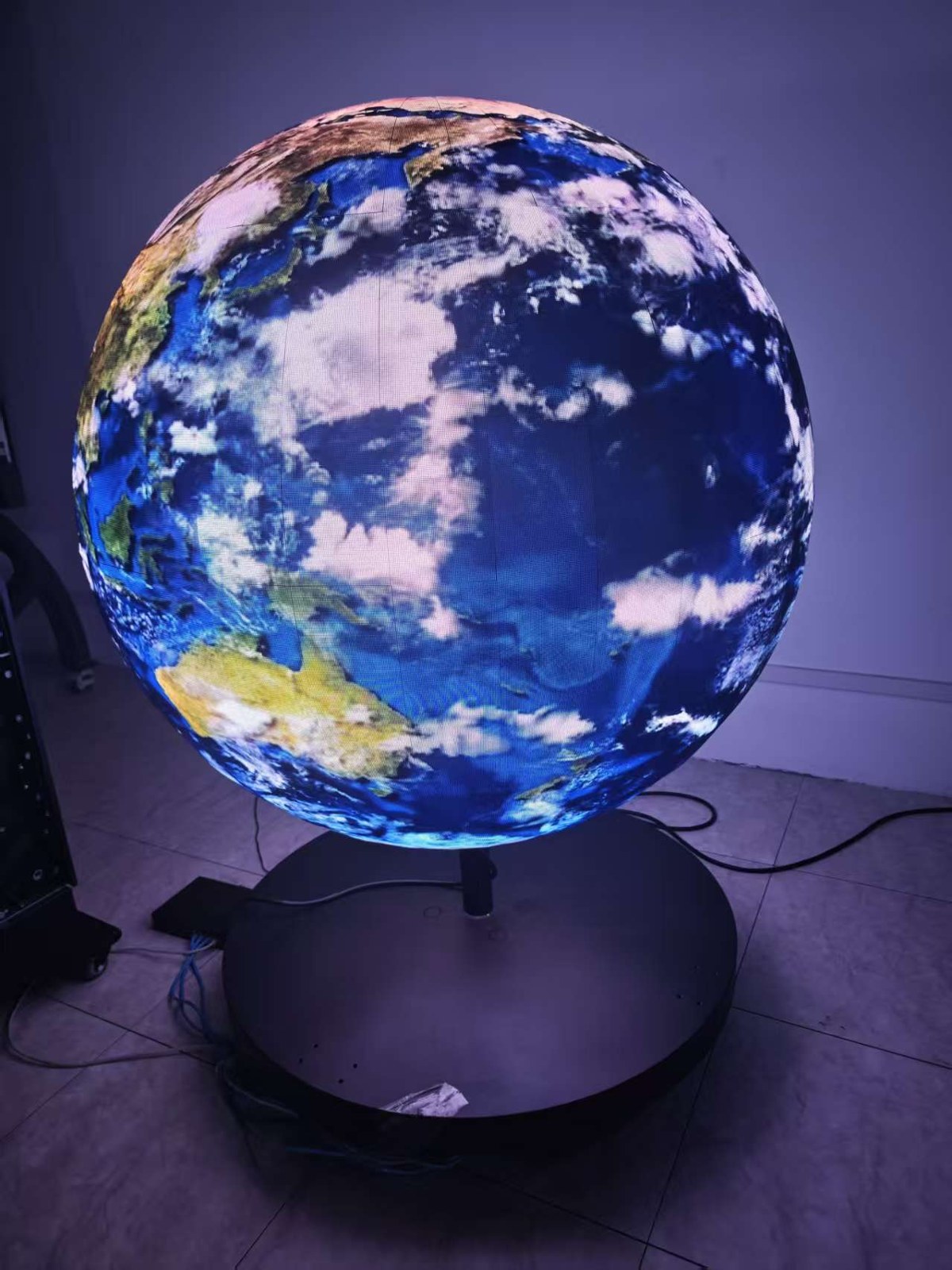
A disc, sphere or can-shaped LED display can be the centre of a commercial concept. To turn that concept into an order, the supplier needs more than an inspiration picture: the physical envelope, visible surfaces and the way content should wrap around them.
A useful brief links the object to the site and the audience. It also identifies what must be reviewed before a custom shape is approved.
In this guide
1. Define the shape with dimensions and viewing faces
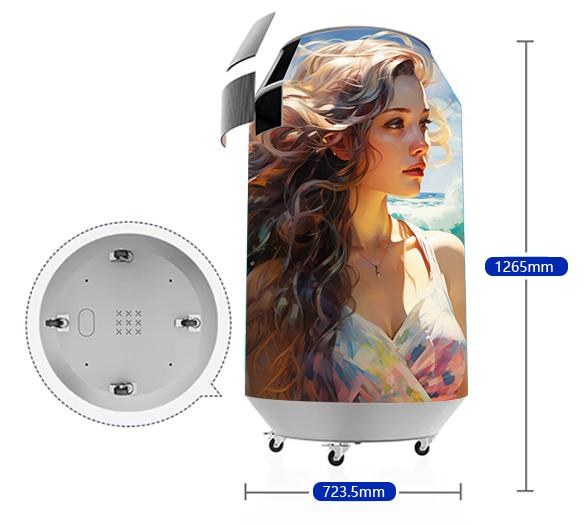
For a disc, identify the diameter, depth and required display side or sides. For a sphere, identify the overall diameter and which surfaces must be visible. For a can-shaped concept, include height, diameter and the intended top and bottom treatment.
These are briefing dimensions, not confirmed product specifications. Ask RUILED to review the proposed geometry and identify any parts that need a new drawing or configuration. A photograph of one shape does not establish all custom sizes or construction methods.
What to check: Send a dimensioned outline with each required display surface marked.
2. Explain where the audience will see it
Mark whether visitors approach from one direction or move around the object. Include the intended installation height and surrounding fixtures. Identify the most important view for a logo or message.
If the concept will be photographed or filmed, describe that requirement too. Ask for a review relevant to the proposed configuration rather than assuming a supplied demonstration establishes the result under every viewing or recording condition.
What to check: Use a site plan and photographs to communicate viewing directions.
3. Create a content brief for the actual surface
Provide the logo, sample visuals and the message people must recognise. Explain whether the content should remain readable from one position, rotate around the object or form an ambient effect.
Ask for the final pixel map, content template and any agreed mapping requirements. Review how seams, curved areas and surface divisions affect artwork. Confirm who prepares, approves and operates the final material; a flat video file may require a different treatment on a shaped surface.
What to check: Approve representative content on the proposed map before final production artwork.
4. Plan structure, connections and maintenance
Share the proposed support method and the available space for power, signal and service. Ask for the selected product’s installation information and confirm who designs and approves the supporting structure.
Identify the route for bringing the product into the building and the method for reaching serviceable parts. Have the responsible local professionals review structural and electrical work. Visual approval should not leave the installation responsibilities unresolved.
What to check: Review the complete installation and replacement routes, not only the visible object.
5. Agree what the custom order includes
Request the approved geometry, configuration, equipment, accessories and packing scope together. State which drawings, demonstrations or inspection records you need to review before dispatch.
Agree how changes after drawing approval will be assessed, and confirm the project schedule with the supplier. Keep the approved content map and configuration records with the order so later artwork or service work refers to the same object.
What to check: Use the approved drawing and configuration as the reference for the order.
Information by shape
| Shape | Key briefing details |
|---|---|
| Disc | Diameter, depth, visible sides and mounting concept |
| Sphere | Diameter, visible surface and main audience positions |
| Can-shaped | Height, diameter, surface boundaries and content direction |
| All shapes | Pixel map, support, power, signal and service plan |
Before you order
- Dimension the proposed shape
- Mark visible surfaces and audience directions
- Share sample content
- Request a final pixel map
- Assign installation and access responsibilities
- Agree drawings, tests, packing and schedule
Send RUILED a shape sketch, intended dimensions, site photos and sample visuals. An early concept is enough to start identifying the questions that need a drawing.
Keep planning your project.
All articles
START A CONVERSATION
Get a configuration
for your project.
Tell us where the display will be used, its approximate size and the project country. Add your target date if known. You can enquire before the specification is complete.
Send an inquiry
After you send, our team will review your requirements and contact you to clarify the details and next steps.
Please read our privacy notice before sending personal information.